 |
ORB5
4.00
|
|
ORB5
4.00
|
Continous integration tool.
ORB5 code is continuously tested by c4science Jenkins instance accessible here: https://jenkins.c4science.ch/job/orb5-master-621. The access is restricted to ORB5 developers group of c4science.
Tests are run automatically at each push to the git server (Build triggers), or manually with optional parameters (manual_build).
Although Jenkins is designed for unit testing, ORB5 tests behave a bit differently. Indeed, it would take ages to write separate tests for each part of the code and we don't have the man power for such task.
Therefore, we decided to run the full code with different inputs to put pressure on modules one after the other. We have light test cases that can be run within few seconds/minutes on a single compute node, and heavier test cases which take some minutes on tens/hundreds of nodes. Light test cases are not physically relevant, as they have very poor particle and mesh resolutions. Heavy test cases check that the code can be used for production.
Each test contains a set of simulations to run and a set of comparisons to perform on the result files. Each simulation can pass or crash, and each comparison can detect significant differences between two results files or not.
The exhaustive list of tests can be found in the Jenkinsfile located at ORB5's root. It contains stand-alone tests for any commit (such as parallelisation or algorithmic tests), and a reproducibility test to detect modifications in the output file compared to another commit.
The stage view gives an overview of the main pipeline stages of last builds. Logs can be accessed by clicking on those stages.  Stages will be described in Pipeline content section.
Blue ocean interface (accessible from the left panel) gives a nicer overview of the pipeline stages by displaying parallel stages. It also offers easier browsing of the pipeline steps in case of error occurence. 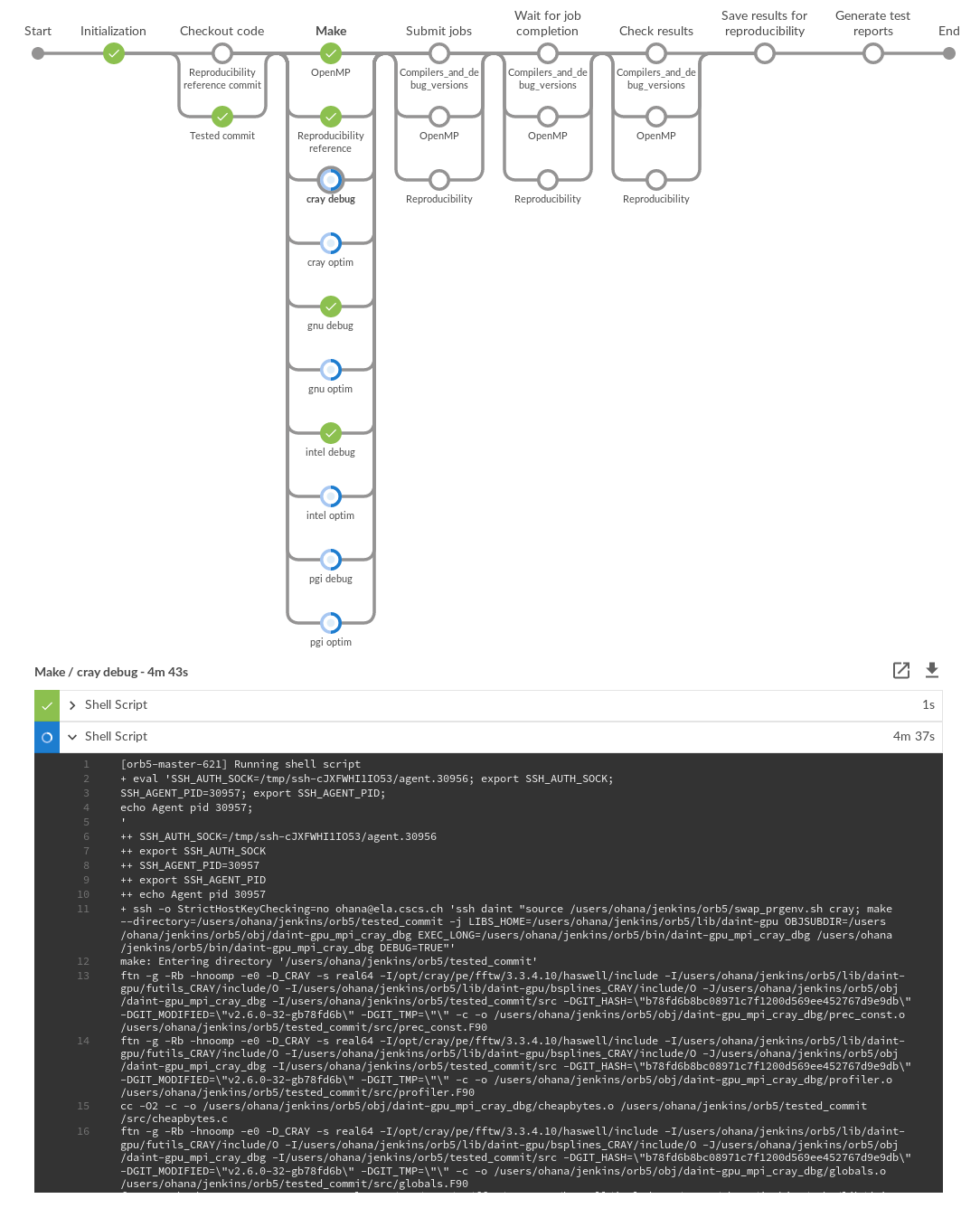
By clicking on any build, you have access to the following information:
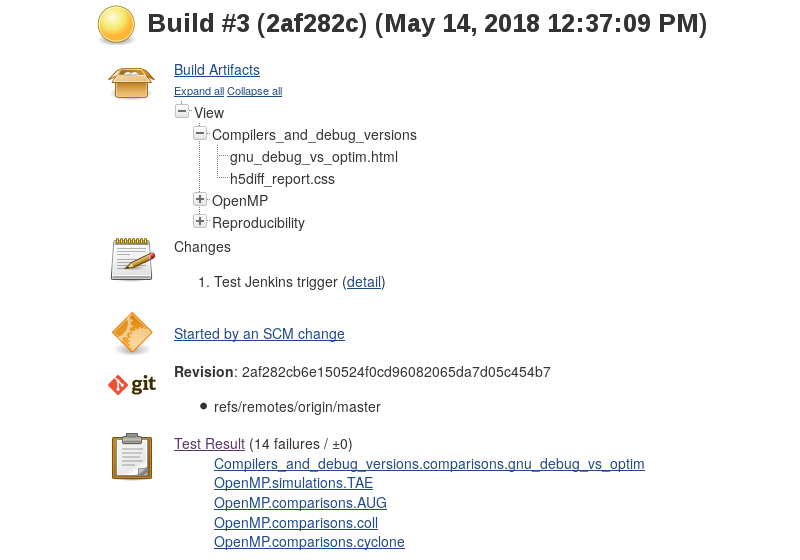
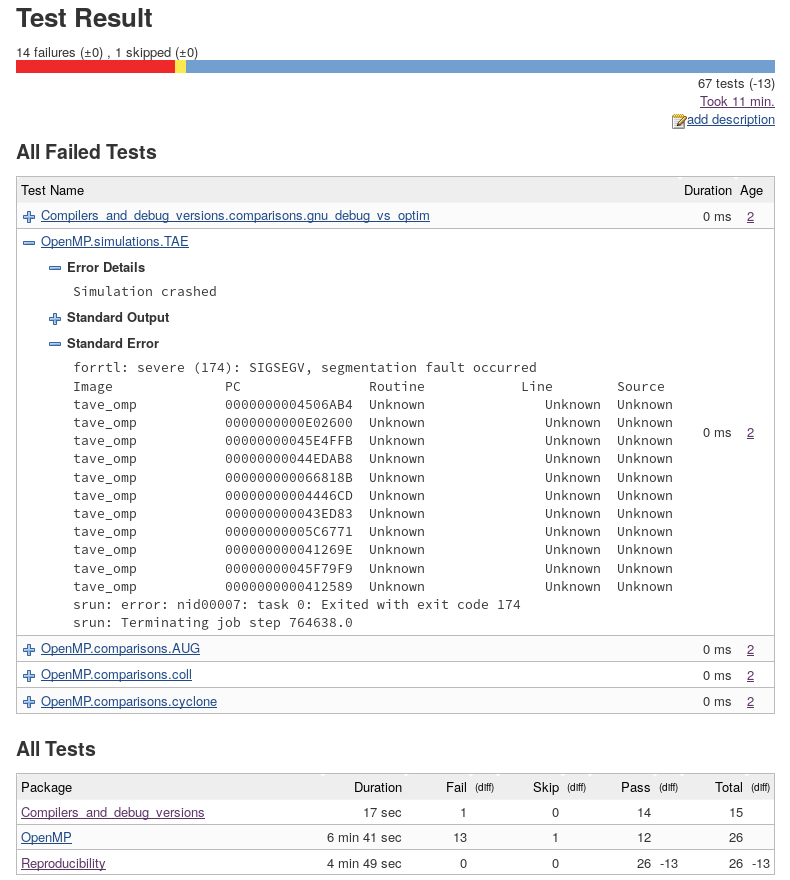
The test result view gathers information about crashing simulations and differences in output files. It shows the new failing tests and the fixed ones, as well as the number of commits since a failed test is failing.
For crashing simulations, you can expand standard ouptut and standard error to get an inside of what happened.
A build is automatically triggered for each last commit of a push on the master branch.
In case the automatic build fails due to machine failure (e.g. slurm overloaded, disk full, ...), one can manually relaunch the build with the Build with parameters button on the left panel.
This method offers two optional parameters for specific needs:
Simulations are run on CSCS machines. Jenkins instance owns an SSH key to connect to ohana@ela.cscs.ch during the initialization phase. The code is checked out on this cluster. (If a reproducibility reference commit has been given in input, it is also checked out.)
ORB5 binaries are compiled (in parallel) for different compilers and flags, on different CSCS clusters.
Simulations are submitted to slurm and job ids are stored. The pipeline waits until all of them are completed or failed.
Simulation outputs are compared with h5diff tool.
If the tested commit is the most recent one of master branch, the simulation outputs are stored for next builds.
Finally, two reports are generated:
 1.15.0 on